Accounts Payable Module
The Accounts Payable Module is used to enter Vendor Invoices and Invoice adjustments as
well as applying payments towards those invoices or General Ledger accounts. Use Accounts
Payable Entry transactions to create an open invoice for a vendor which you intend to pay
at a later point in time. Use Accounts Payable Payments to apply a payment to a Vendor's
Open Invoice or to record payments directly against a General Ledger Account.
Accounts
Payable Software Features |
||
| Track Vendors | Pay Multiple Invoices From One Check | Generate Open Invoice Reports |
| Track Aging Invoices | Automatically Distributes Up To 5 A/P Accounts On Invoice | Select Invoices To Pay |
| Cash Flow Projections | Smart A/P Distribution | Single Pay Selected Invoices |
| Print Laser Checks | Track History Indefinitely | Multiple Checking Accounts |
Accounts Payable Screen Shots |
||
|
|
|
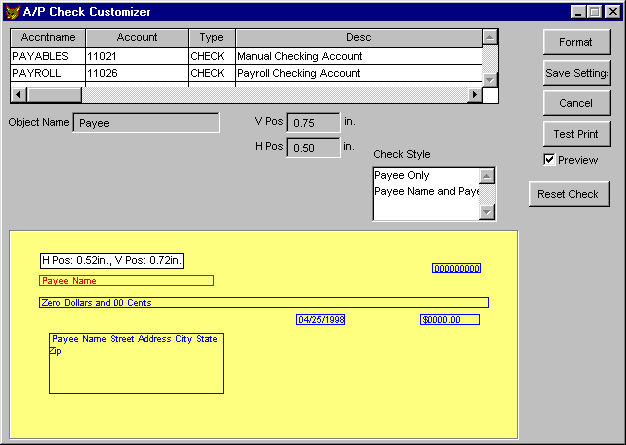 Easily Customize Check Layouts |
 Payment Approval Screen |
|
Vendor Information
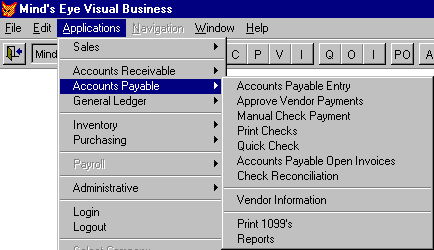
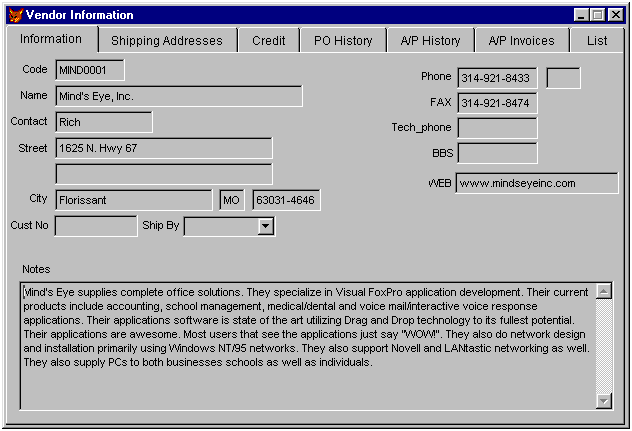
Use the Vendor Information form to enter in vendors into the database. To enter a Vendor
select Applications => Accounts Payable => Vendor Information from the System Menu.
You will notice the tabs at the top of the form. These tabs allow you to see more
information about the Vendor. You can see history information for Purchase Orders,
Accounts Payable Entries and Accounts Payable Payments. The List Tab is used to list all
of the vendors so you can quickly scroll through to a particular vendor and then view
their information by clicking back on the Information Tab.
Accounts Payable Entry
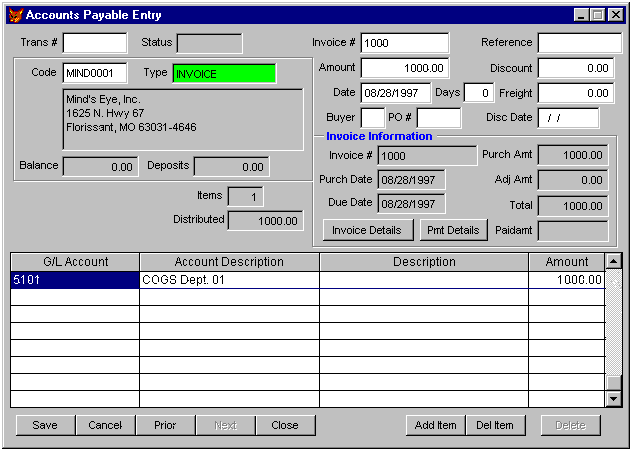
This is the Accounts Payable Entry form. This is where you would enter in A/P Vendor
Invoices to be paid. You select a Vendor from the Vendor file, Enter in an Invoice Number,
an Amount and an Invoice Date. The software will automatcally distribute your invoice
amount up to 5 accounts for you. All you have to do is enter in the amount on the line
item for the current account and if there is still an amount remaining to be distribute
it. It will automatically add a new line item for you to distribute the amount to. You
just enter in the Account number and it will automatically fill in the remaining Open
Amount for you.
The A/P Entry form automatically knows if you have already entered in the invoice number
for this vendor. If it finds an invoice that has already been entered. It will change the
type of your entry to an Adjustment rather than an invoice. It will then apply any amount
you enter in for this transaction against the already existing invoice.
Easily Customize Your Check Layouts
It's extremely easy to customize your check layouts by dragging the printable fields on
the check to the exact location and then saving your layout.